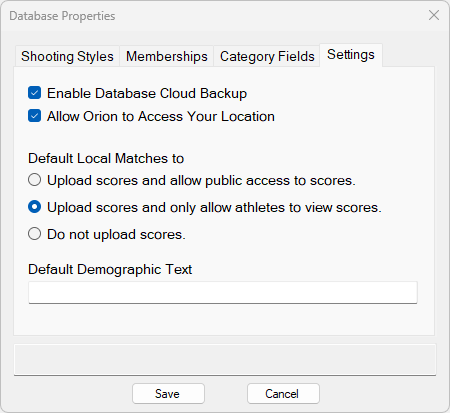
The Settings tab has a variety of options to help tune some sharing and security settings for your needs.
Settings Explained:
Enable Database Cloud Backup |
When checked, Orion will backup your athlete database and history to the Orion cloud. |
Allow Orion to Access Your Location |
When checked, Orion will attempt to identify your geo-location to serve relevant match information for Orion Results and the Orion Mobile app. |
Default Local Matches To •Upload Scores and allow public access to scores. •Upload scores and only allow athletes to view scores. •Do not upload scores. |
See the table in Match Sharing (Orion Results) Definitions topic for more information. |
Default Demographic Text |
On certain RESULT LIST FORMAT definitions, the Match Director may specify an added line denoting demographic information. This line usually starts under the Participant's name and spans multiple columns. The Match Director may customize this line using string interpolation. Any of the Common Fields are available. Here are a few examples: •Representing {Club} from {Hometown} •Competitor Number {CompetitorNumber} •Bib: {CompetitorNumber}, Club: {Club}, Coach: {Coach} On new Matches, the default value for Demographic Text is set by this Database Properties field. |