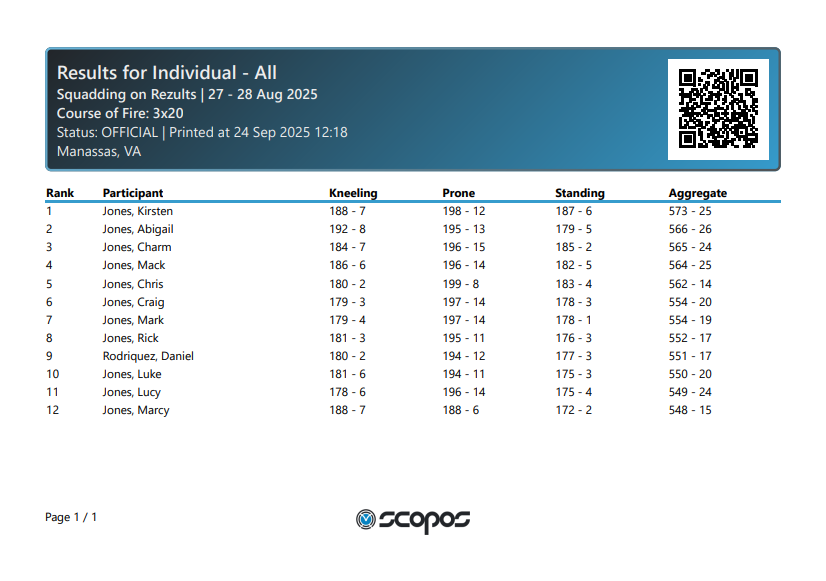
A result list is a ranked, sorted, formatted, and displayed Result List. Typically sorted by performance.
It is a best practice to print and display result lists in a conspicuous place, usually multiple places, during and after your match.
Printing a Result List
1.With an Orion match open, click on the Match Results tab.
2.Under Result List, select which Result List to print.
3.Click the Print button.
4.Select your desired page size.
5.If you wish to include Supplemental Information on your Result List print, select it.
Supplemental Information is defined by the RESULT LIST FORMAT definition. It generally means information that is interesting, but not necessary required. A number of RESULT LIST FORMAT definitions include a Demographic Text line that may be customized by the Match Director and is generally considered Supplemental Information.
6.Select which relay, if any, to limit the Result List to.
7.Click Print when ready.
Orion will generate a PDF with the Result List and open it in your Window's system default PDF viewer. From there, you may print the result list.
Page Size Options
The data included on the PDF may be effected by the width of the selected page size. On smaller page sizes less important information is hidden. On larger page sizes more complete information is included.
Available on Rezults
Printing Result Lists is also available on Rezults when the match's privacy is set to Public.
Example