Authorized match staff may edit a Range Report, correct its content, and control whether it is visible to other Rezults users.
It is a best practice to verify all AI-generated text before publishing it.
Edit or Publish a Range Report
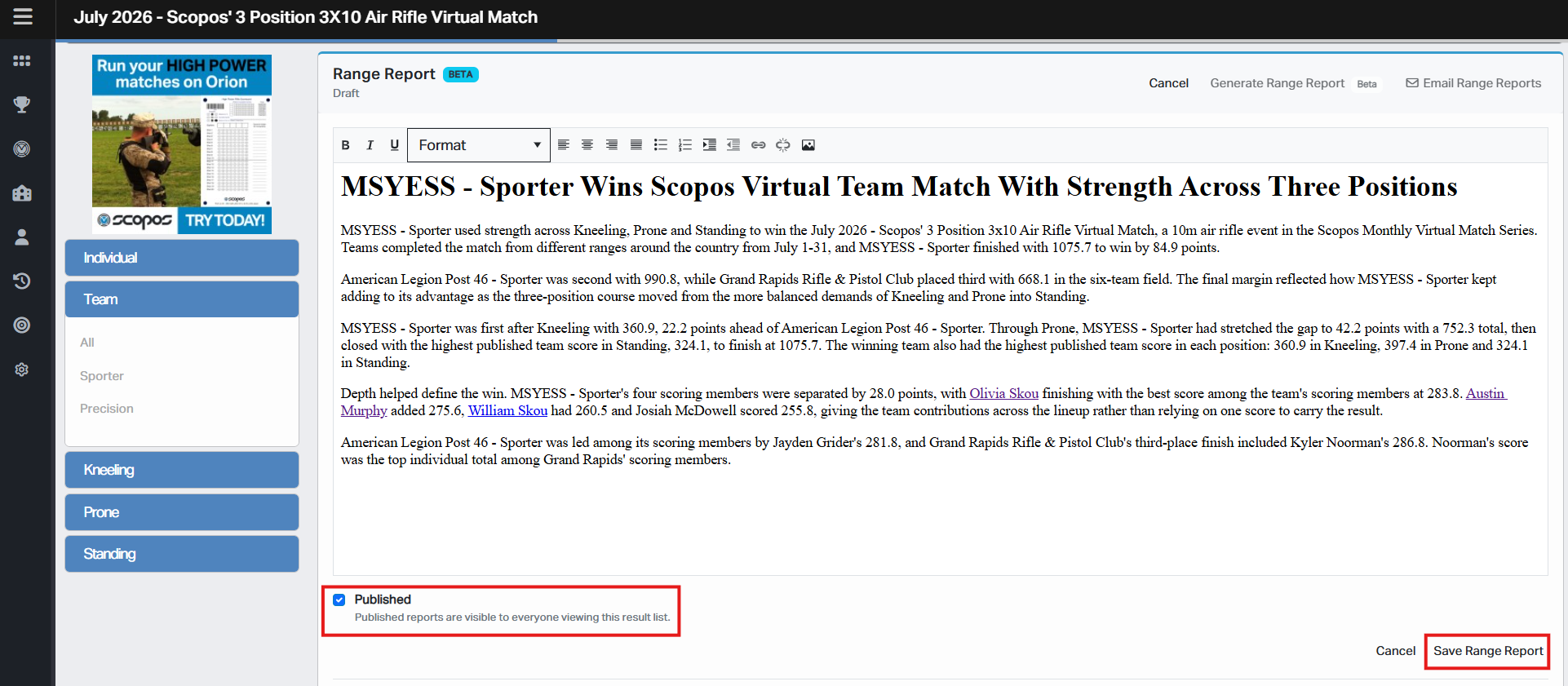
1.Log in to Rezults and open the desired Match page.
2.Select the Result List whose Range Report you want to edit.
3.On the Range Report card, click Edit.
4.Use the editor to correct or format the report.
5.Select or clear Published, as appropriate.
6.Click Save Range Report.
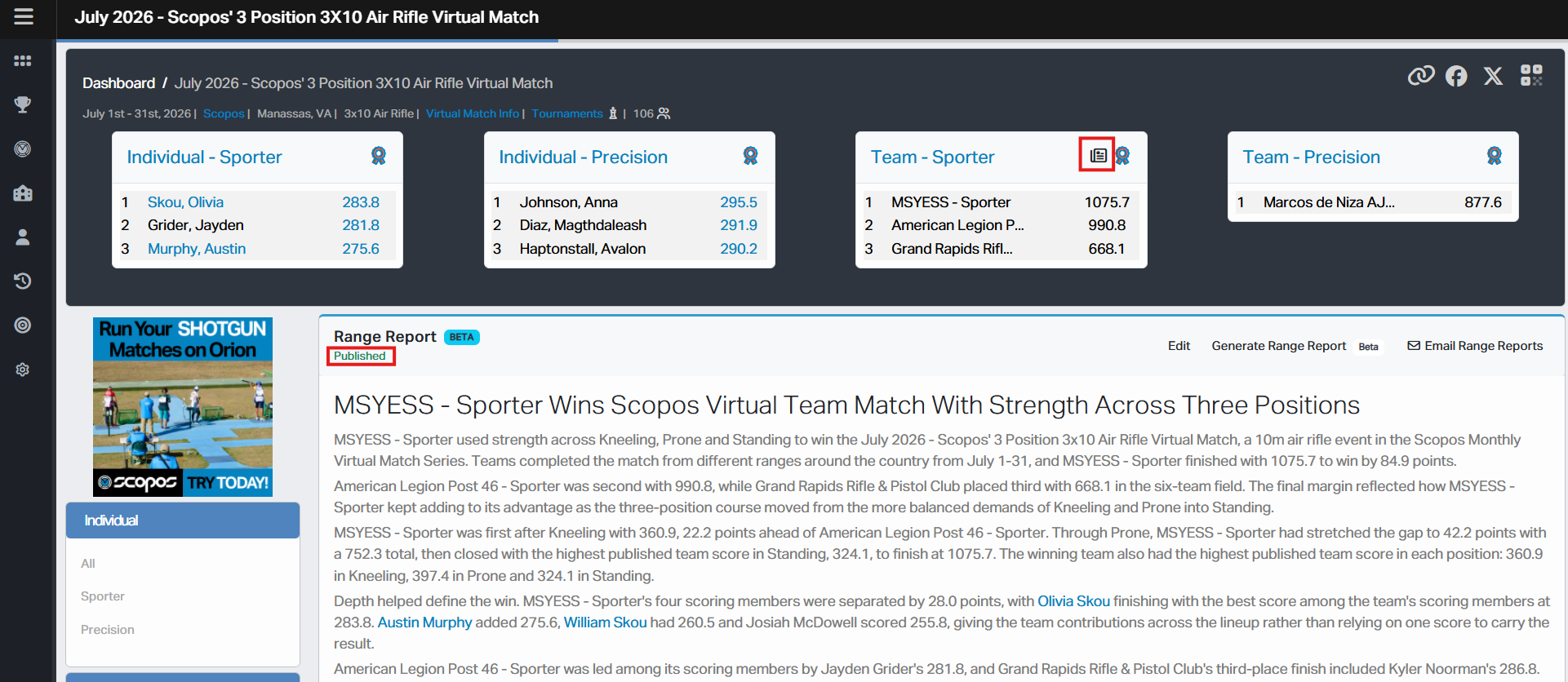
Rezults displays Range Report saved after the changes have been saved successfully.
If Published was selected, the status shown to authorized staff changes to Published. The report is then visible to anyone who can view that Result List, subject to the match's access and privacy settings. A newspaper icon also appears on the Result List summary card.
Click Cancel to leave Edit mode without saving your changes.
Editing is unavailable while a new Range Report is being generated.
Review the Report
Before publishing, confirm:
•Athlete and team names are spelled correctly.
•Scores, rankings, and margins are accurate.
•The report describes the correct Result List.
•Match, event, award, and organization names are correct.
•Sport-specific terminology is appropriate.
•The report does not contain private or sensitive information.
•The report does not state speculation as fact.
Compare the report with the Result List displayed directly below it. If a result changes, review the Range Report again and update it as needed.
Return a Report to Draft
To hide a published report from general view:
1.Open the Range Report in Edit mode.
2.Clear Published.
3.Click Save Range Report.
The report is saved as a Draft. Authorized editors may continue to view and revise it, but other viewers will not see it.
Publishing Multiple Result Lists
Draft and Published status applies only to the selected Result List. Repeat the review and publishing steps for every Result List that should have a public Range Report.
Generating After Manual Edits
Generating a new Range Report may replace text that was entered or corrected manually. Save a separate copy of any report text you want to preserve before generating a new version.
See Also